Subscription view
The Subscription view provides an overview of your organization’s subscription, calibration usage, recent activity, and enabled add-ons.
If role-based access control is activated, only users with permission to view subscription details can access this page.
To open the Subscription view, select user menu in the upper-right corner and select Subscription.
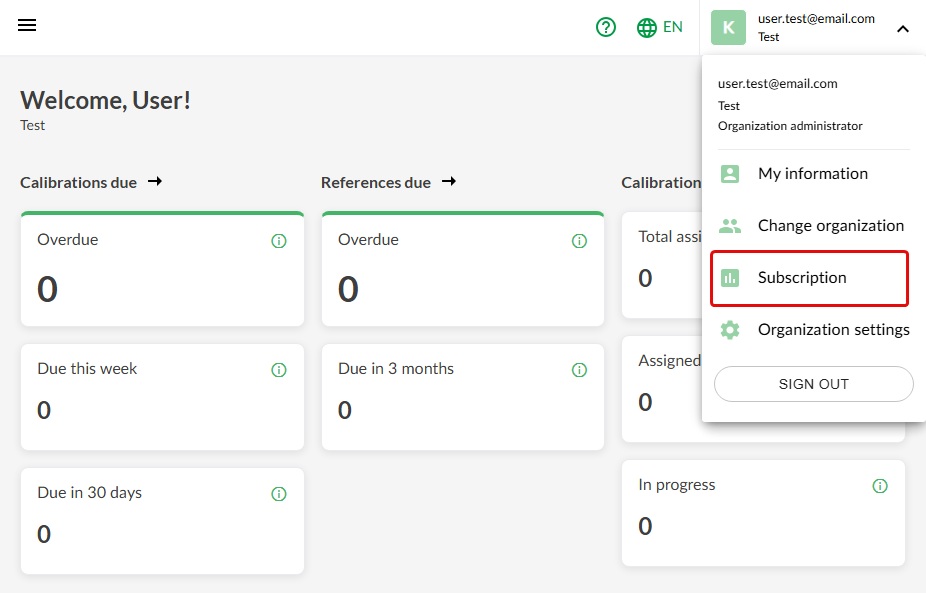
The subscription view opens.
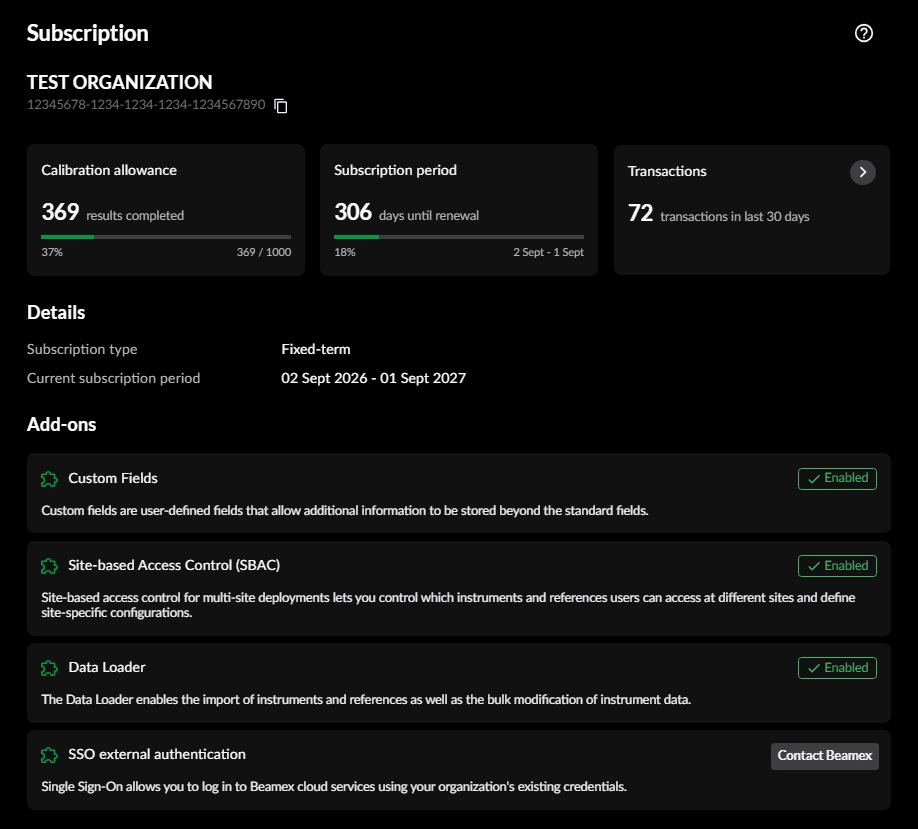
Subscription information cards
The cards show the following information:
- Calibration allowance: Number of calibration results completed, total annual calibration allowance, and allowance consumption.
- Subscription period: Number of days until renewal and the calibration allowance reset, progress of the current subscription period, and its start and end dates.
- Transactions: A presentation of recent activity during the last 30 days. Select the card to view transaction details.
A notification is displayed if the remaining calibration allowance is running low or has been exceeded. Beamex will contact you to discuss an allowance upgrade.
Details
The Details area shows:
- Subscription type, such as fixed term or trial
- Subscription start date
- Current subscription period
The subscription period is the period during which your organization is entitled to use the service. The calibration allowance resets when a new subscription period begins.
Add-ons
The Add-ons area lists the optional capabilities available to your organization and indicates which add-ons are enabled. Contact Beamex to add new capabilities to your subscription.