Calibration Service Providers
Calibration Service providers are external organizations that perform calibration services and provide calibration certificates. Service providers can be linked to externally performed calibrations to maintain a complete calibration history.
Service Provider List
The service provider list displays the following information:
- Name
- Sites
- Contact name
- Status (Active / Inactive)
- Count of Certificates/Results
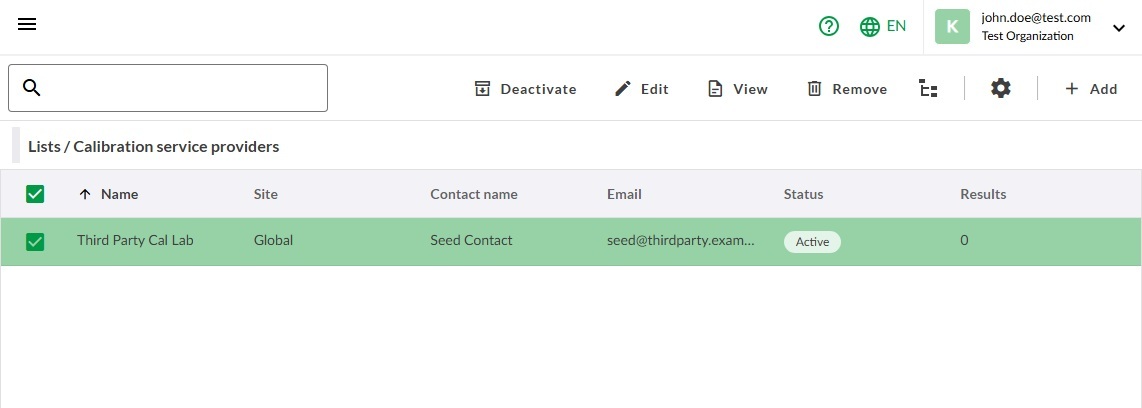
If no sites are assigned to a service provider, the Sites column displays Global.
Service providers can be selected from the list to view details, edit information, access associated external result history, or remove one or more providers.
Add Service Providers
Start by selecting a service provider and clicking in Lists / Service Providers view.
- Complete the required fields:
- Name (required)
- Active (required)
- Optionally select one or more Sites using the site picker.
- Save the service provider.
Edit Service Provider
Service providers can be edited by selecting a service provider and clicking .
View Service Provider Results
A calibration result history for a service provider can be viewed by opening a service provider for viewing with View and then selecting Results.
Deactivate Service Providers
Service providers can be deactivated when they are no longer actively used but their historical calibration records must remain available. Once deactivated, they cannot be used for uploading new results until activated again.
A service provider can be deactivated by selecting one and pressing Deactivate from the toolbar. Alternatively the status can be changed through editing.
The same method is used to activate a service provider.
Remove Service Providers
To remove service providers select one or more service providers and click from the toolbar.
Removing a service provider doesn't remove any existing results.